 I decided to make another frame and tag set, but I tossed a border in with this one, as well. :) Hope you like it! Enjoy!
Click here to download.
 I decided to make another frame and tag set, but I tossed a border in with this one, as well. :) Hope you like it! Enjoy!
 I was messing around with frame ideas and this one just kind of fell together. I might make more frames like this later that use different shapes. Hope you like it! :)
 I said there would be more frame and tag sets to come, so here's another. :) Enjoy! I'll try to get some more sets up soon. Any particular frame/tag shapes you'd like to see?
 Here's another frame and tag set for you to use. :) Two frames and a tag this time. Like the last one, I didn't put a hole in the tag, so you can punch one any size that you'd like. :)
 I also made this frame frame for two pictures. The entire thing is only four pieces, so not difficult to put together. :) If you'd like to download the fonts for yourself, the font used for the words on the frame is 2Peas Dear Diary and the & symbol is from a font called Abuse.
 I've been meaning to make some frames with matching tags, so I hope this will be the first of many sets. Just a heads up though, I haven't cut these, so I'm not sure how the swirls on the tag will cut if you try to go super-small. I would do a test cut, but everyone is still in bed here and one of my dogs is convinced that my Cricut is something evil that needs to be barked at. :P
 I made this for the ABC Border/Frame challenge posted over on the SCAL forum. I thought I'd post it here, too, just in case some of you don't frequent the SCAL forums. I actually made this a few days ago, with the letters going all the way around the frame, but I really hated the way it turned out. :P I took off all the letters except the top row, and I like it a bit better now. The font used is BoyzRGross.
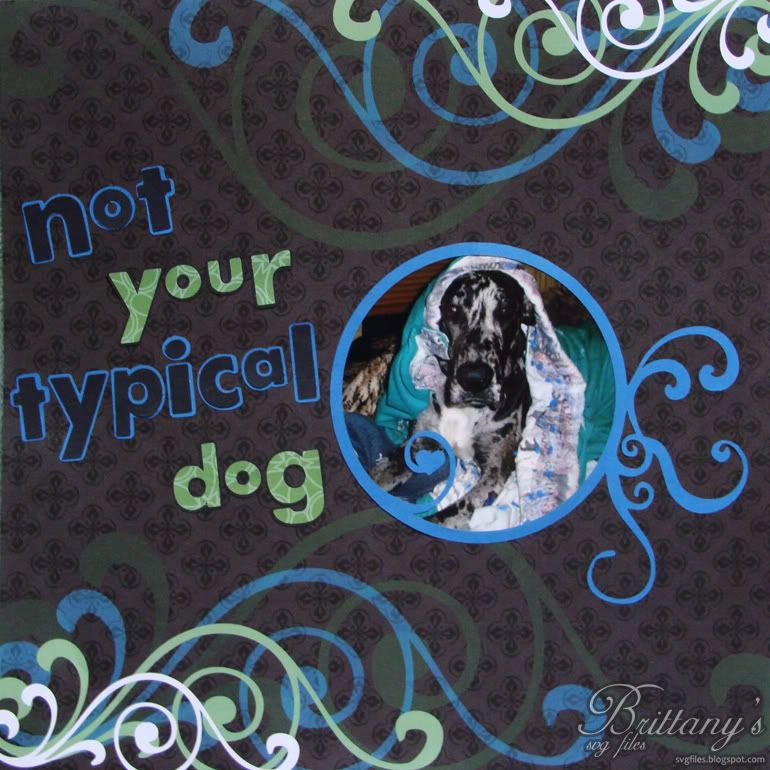 I thought I'd take this opportunity to show off one of the layouts I did over the weekend. I used paper from DCWV Stack 6 for the patterned letters and background. The font used is 2 Peas Airplanes. Airplanes is an awesome font for cutting. The letters are thick, so they're easy to use without tearing and it just looks "fun". :D
 I wanted to make a joined circle frame that would hold three pictures, so here's what I came up with. Hope you like it! :D
 I saw a couple of circle frames in a paper stack that I have and thought that it might be nice to have some files to cut with different circle designs. Hope you like them!
 Oh, by the way, a couple of them might look like a pain to piece together, but I assure you, I'm insanely lazy, so each circle is only two pieces. I made each of them so that the piece on the left is always the bottom layer and the piece on the right is always the top layer.